
Video & Audio
VEED
Online AI video editor with subtitles, avatars, and voice tools
Website checked and live 5 days ago · how we check
Video Editing
AI Video
Subtitles
Screen Recording
AI Avatars
Transcription
Content Creation
Video Production
About VEED
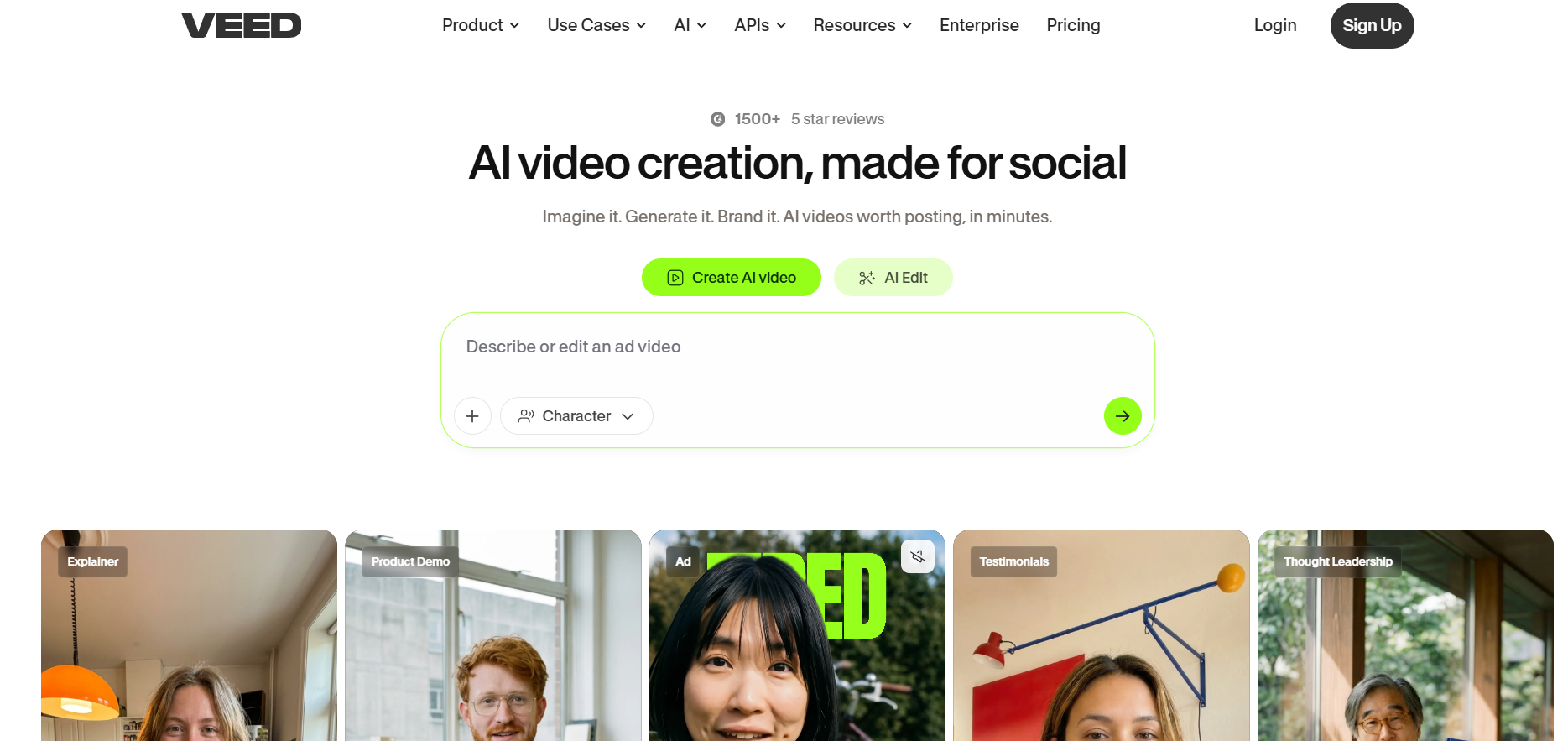
VEED.io is a browser-based video editor with powerful AI features that makes professional video editing accessible to everyone — no software installation, no steep learning curve. It combines a full online editor with AI tools like automatic subtitles, background removal, noise reduction, text-to-speech, an AI avatar generator, and translation, serving creators, marketers, educators and businesses who want to produce polished videos quickly in their browser.
VEED handles the full range: trim and edit clips, add text and effects, auto-generate accurate subtitles (crucial for social engagement), remove or replace backgrounds without a green screen, clean up audio, translate videos into other languages, and even generate AI avatar presenter videos. Its interface is designed for ease, making tasks that once needed pro software (like Premiere) doable by anyone in a few clicks.
VEED offers a free plan (with limits and watermark), and paid tiers (Lite, Pro, Business) adding longer videos, no watermark, more AI features, higher exports and team tools.
Strengths: genuinely easy browser-based editing, strong AI features (subtitles, background removal, translation), no installation, and versatility across use cases. Weaknesses: free-tier limits and watermark push toward paid plans, complex professional editing still favors desktop software, and heavy AI use adds up in cost.
For social media creators, marketers, educators, and businesses wanting to edit and enhance videos quickly without professional software, VEED.io is one of the most popular and capable online video editors — its combination of easy editing and useful AI tools (especially auto-subtitles and background removal) makes professional-looking video accessible to anyone with a browser.
VEED handles the full range: trim and edit clips, add text and effects, auto-generate accurate subtitles (crucial for social engagement), remove or replace backgrounds without a green screen, clean up audio, translate videos into other languages, and even generate AI avatar presenter videos. Its interface is designed for ease, making tasks that once needed pro software (like Premiere) doable by anyone in a few clicks.
VEED offers a free plan (with limits and watermark), and paid tiers (Lite, Pro, Business) adding longer videos, no watermark, more AI features, higher exports and team tools.
Strengths: genuinely easy browser-based editing, strong AI features (subtitles, background removal, translation), no installation, and versatility across use cases. Weaknesses: free-tier limits and watermark push toward paid plans, complex professional editing still favors desktop software, and heavy AI use adds up in cost.
For social media creators, marketers, educators, and businesses wanting to edit and enhance videos quickly without professional software, VEED.io is one of the most popular and capable online video editors — its combination of easy editing and useful AI tools (especially auto-subtitles and background removal) makes professional-looking video accessible to anyone with a browser.
Frequently Asked Questions
What is VEED.IO and how does its infrastructure differ from traditional video editors?
VEED.IO is a cloud-based video editing and AI content creation platform that operates entirely inside your web browser. Unlike traditional desktop applications like Adobe Premiere Pro or DaVinci Resolve, it requires no hardware-heavy installations, making it accessible across Windows, Mac, and Chromebooks. While it sacrifices advanced cinematic grading and multi-cam tracking, it focuses heavily on production speed, social media layout scaling, and automated AI editing tools.
How does VEED.IO utilize AI to simplify the timeline editing process?
The platform integrates several intelligent "Magic Tools" designed to eliminate repetitive post-production tasks. Its AI Auto-Subtitle engine instantly transcribes audio across over 125 languages with high precision. Features like "Magic Cut" automatically detect and strip out filler words (such as "um" and "uh") and dead silences, while the "Edit with Script" feature allows users to edit video files textually by deleting lines of the transcript. It also includes automated eye contact correction, background noise removal, and AI image/video background replacement.
What generative AI capabilities are built into the VEED Gen-AI Studio?
Beyond standard video editing, VEED.IO functions as an original content generation engine. Its AI Video Generator supports text-to-video prompt workflows by tapping into major external video models (such as Kling, PixVerse, and MiniMax) alongside its proprietary Fabric 1.0 architecture. Users can generate hyper-realistic AI talking avatars from a text script, clone their own voice to narrate presentations, build automated faceless video reels, or use AI dubbing to naturally translate existing spoken footage into dozens of regional languages.
How does VEED.IO handle team workflows and brand management?
VEED.IO features collaborative team workspaces similar to modern cloud documents. Multiple creators can log into a single project space to leave timestamps, add annotations, or review drafts simultaneously. For businesses keeping content consistent across multiple social media accounts, its Brand Kit allows teams to upload custom fonts, lock specific brand color palettes, and store standard logos or asset templates that can be applied to any active project timeline with one click.
Is VEED.io free?
There's a free plan with limits and a watermark. Paid tiers (Lite, Pro, Business) add longer videos, no watermark, more AI features, higher exports and team tools.
What AI features does VEED have?
Automatic subtitles, background removal, noise reduction, text-to-speech, AI avatars, and video translation — plus a full browser-based video editor.
Do I need to install software for VEED?
No — VEED runs entirely in your browser, with no installation, making professional-style editing accessible on any computer.
Is VEED good for subtitles?
Yes — its automatic subtitle generation is a standout feature, accurate and easy to style, which boosts social media engagement and accessibility.
VEED vs CapCut — which is better?
Both are accessible editors with AI; CapCut is especially strong for short-form/TikTok and is free-heavy, VEED offers a polished browser editor with strong subtitles and business features. Try both.
Are you the maker of VEED?Add this badge to your website so visitors can see your rating.
134listing views
1visits sent to VEED
Live counters, all time. We show every maker the real numbers.

Want it in front of more people? Fast-track & upgrade this listing →
Alternatives
Best VEED Alternatives
Looking for something like VEED? These are the highest-scored Video & Audio tools in our directory, ranked by score, never by who paid: Alici AI, Videez, Podcast.ai, Seedance 2.5 (Dreamina), Opus Clip and more.

Alici AI
Video & Audio● Live
AI platform for creating marketing videos, images, and ad content.
Videez
Video & Audio● Live
Turn text prompts and images into short, shareable AI videos.

Podcast.ai
Video & Audio● Live
AI-driven podcasting with interactive and diverse audio experiences.

Seedance 2.5 (Dreamina)
Video & Audio● Live
AI video generation model for creating cinematic videos from prompts.

Opus Clip
Video & Audio● Live
AI video tool that automatically transforms long video clips into short, captioned viral shorts.

Runway ML
Video & Audio● Live
Generate and edit cinematic videos with AI.

Unscreen
Video & Audio● Live
Automatic AI video background remover that eliminates green screens and manual rotoscoping.

Synthesia
Video & Audio● Live
Create AI avatar videos from text in 120+ languages without filming.
📬 Get the best new AI tools by email
Only when we find tools worth your time. No spam, unsubscribe anytime.