Education
iTranslate
Translation app for text, voice, camera, and conversations
Website checked and live 5 days ago · how we check
Translation
Voice Translation
Camera Translation
Language Learning
Travel Tools
Multilingual Support
Conversation Translation
Offline Translation
About iTranslate
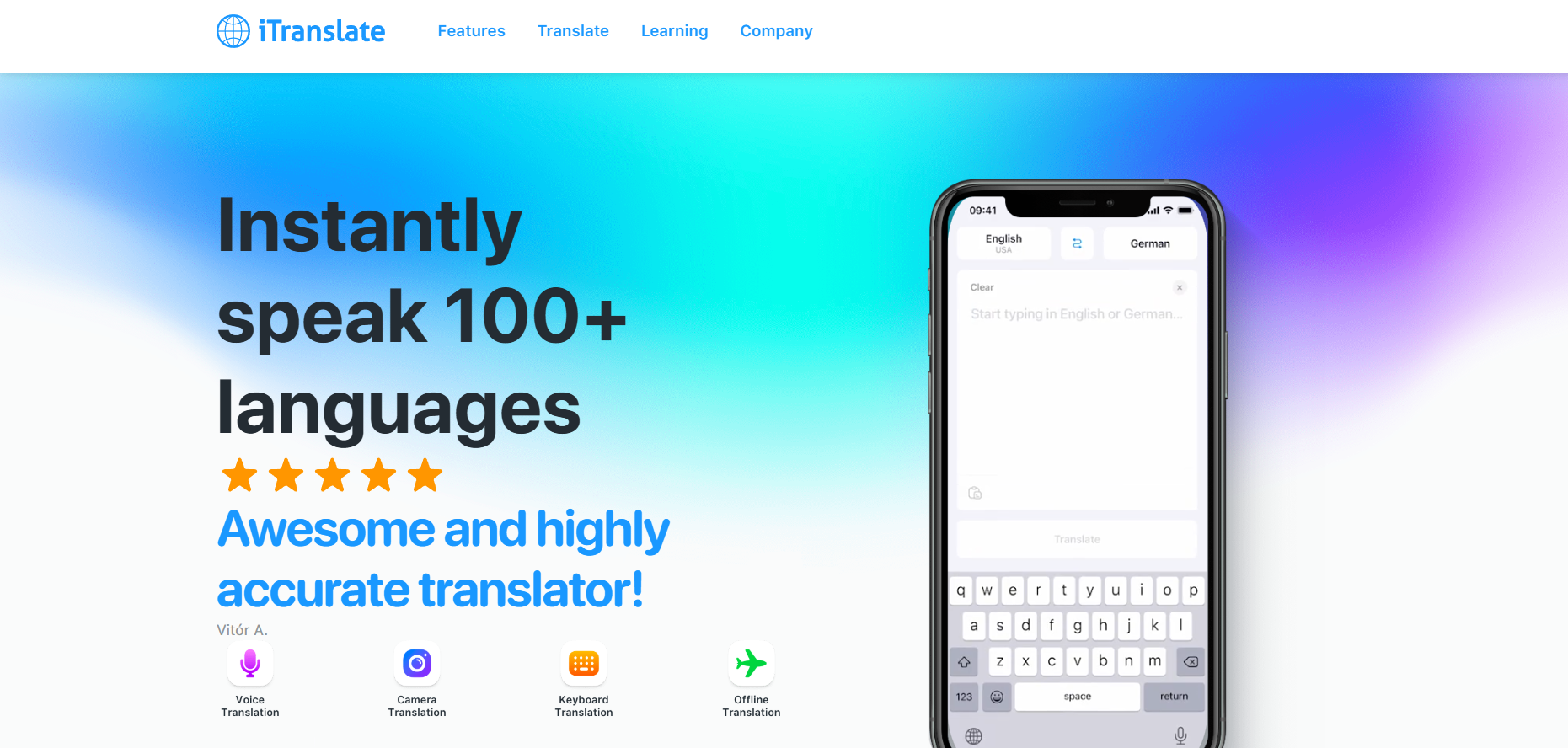
iTranslate is a popular translation app that translates text, voice, and conversations across 100+ languages, with features like camera translation (point at signs or menus to translate them), offline mode, and real-time voice conversation translation — making it a travel and communication staple for millions. It aims to break down language barriers whether you're texting a foreign friend, navigating a foreign country, or reading a menu abroad.
Core features include typed text translation, voice input and output (speak and hear translations), a conversation mode where two people can talk with real-time translation between them, camera/photo translation for signs and printed text, a dictionary and phrasebook, and website translation. Offline language packs let you translate without internet — invaluable when traveling without data. The app is available on iOS, Android and as browser tools.
iTranslate offers a free version with basic text translation and ads, and iTranslate Pro (subscription, around $5–$10/month or discounted annually) that unlocks voice, conversation mode, camera translation, offline mode and removes ads.
Strengths: comprehensive translation features (text, voice, camera, conversation), 100+ languages, offline mode for travel, and cross-platform availability. Weaknesses: the best features (voice, camera, offline) require the Pro subscription, translation quality for nuanced or professional text trails specialists like DeepL, and camera/voice accuracy varies with conditions.
For travelers, language learners, and anyone communicating across languages day to day, iTranslate is a versatile, widely used app — especially valuable for its camera and conversation modes when abroad. For high-quality written translation you'd publish, DeepL is stronger; for on-the-go, all-in-one travel translation, iTranslate is a longtime favorite.
Core features include typed text translation, voice input and output (speak and hear translations), a conversation mode where two people can talk with real-time translation between them, camera/photo translation for signs and printed text, a dictionary and phrasebook, and website translation. Offline language packs let you translate without internet — invaluable when traveling without data. The app is available on iOS, Android and as browser tools.
iTranslate offers a free version with basic text translation and ads, and iTranslate Pro (subscription, around $5–$10/month or discounted annually) that unlocks voice, conversation mode, camera translation, offline mode and removes ads.
Strengths: comprehensive translation features (text, voice, camera, conversation), 100+ languages, offline mode for travel, and cross-platform availability. Weaknesses: the best features (voice, camera, offline) require the Pro subscription, translation quality for nuanced or professional text trails specialists like DeepL, and camera/voice accuracy varies with conditions.
For travelers, language learners, and anyone communicating across languages day to day, iTranslate is a versatile, widely used app — especially valuable for its camera and conversation modes when abroad. For high-quality written translation you'd publish, DeepL is stronger; for on-the-go, all-in-one travel translation, iTranslate is a longtime favorite.
Frequently Asked Questions
What is iTranslate and how does it help users communicate globally?
iTranslate is a premier, mobile-first translation and dictionary application designed to help travelers, students, and global business professionals seamlessly communicate across language barriers. Unlike desktop-bound software, iTranslate is optimized for real-time, on-the-go utility. It allows users to break down communication gaps by translating typed text, web pages, physical signs, and spoken voice streams across a vast library of international languages and distinct regional dialects.
How does iTranslate's Offline Mode function when traveling?
To protect users from expensive international data roaming fees or connection drops in remote areas, iTranslate offers an extensive Offline Mode. By downloading specific localized language packs directly onto the device, users can process translations locally without an active internet connection. This offline system supports text translation for more than 40 common languages, ensuring core communication remains active during flights, rural transits, or no-signal situations.
What specific hardware platforms and ecosystems does iTranslate support?
iTranslate maintains a comprehensive app ecosystem to keep translation utilities accessible across all personal devices. It features native, highly optimized applications for iOS and Android smartphones, dedicated tablet layouts, and a specialized app for the Apple Watch that brings quick voice translations right to the user's wrist. For desktop environments, it provides accessible web browser extensions to handle instant page translations.
What core translation features are integrated into the application?
The platform divides its utility across several specialized interaction modules built directly into the interface:
Text Translation: Instantly processes typed or pasted text in over 100 languages, complete with built-in dictionary lookups, synonyms, and verb conjugations.
Voice-to-Voice Conversation: Enables fluid, back-and-forth spoken dialogue by automatically translating speech and playing the results aloud in the target language.
Lens / Camera Mode: Leverages object recognition and optical character recognition (OCR) to translate physical text from menus, transit signs, and documents via the device's camera.
Website & Keyboard Extensions: Translates live internet pages within mobile browsers and integrates a custom keyboard extension to translate text inside messaging apps.
Text Translation: Instantly processes typed or pasted text in over 100 languages, complete with built-in dictionary lookups, synonyms, and verb conjugations.
Voice-to-Voice Conversation: Enables fluid, back-and-forth spoken dialogue by automatically translating speech and playing the results aloud in the target language.
Lens / Camera Mode: Leverages object recognition and optical character recognition (OCR) to translate physical text from menus, transit signs, and documents via the device's camera.
Website & Keyboard Extensions: Translates live internet pages within mobile browsers and integrates a custom keyboard extension to translate text inside messaging apps.
Is iTranslate free?
There's a free version with basic text translation and ads. iTranslate Pro (around $5–$10/month) unlocks voice, conversation, camera translation, offline mode and removes ads.
How many languages does iTranslate support?
100+ languages for text, with voice, camera and conversation translation available for many of them.
Does iTranslate work offline?
Yes — with Pro, you can download offline language packs to translate without internet, which is especially useful when traveling abroad without data.
Can iTranslate translate signs and menus?
Yes — the camera translation feature (Pro) lets you point your phone at signs, menus and printed text to translate them instantly.
iTranslate vs DeepL — which is better?
iTranslate is a versatile mobile travel app (voice, camera, conversation, offline); DeepL produces higher-quality written translations. Use iTranslate for travel and speech, DeepL for polished text.
Are you the maker of iTranslate?Add this badge to your website so visitors can see your rating.
89listing views
Live counters, all time. We show every maker the real numbers.

Want it in front of more people? Fast-track & upgrade this listing →
Alternatives
Best iTranslate Alternatives
Looking for something like iTranslate? These are the highest-scored Education tools in our directory, ranked by score, never by who paid: Prevo, ELSA Speak, Orai, Speechace, Bing Translator and more.

Prevo
Education · Interview Practice● Live
Voice AI interview practice for visa interviews, US citizenship, investor pitches and job interviews.
ELSA Speak
Education● Live
AI English speaking coach focused on pronunciation and fluency

Orai
Education● Live
AI speech coaching app for improving public speaking skills

Speechace
Education● Live
AI speech assessment platform for pronunciation and fluency evaluation
Bing Translator
Education● Live
Online translation service supporting text, voice, and conversations

Anki
Education● Live
AI-enhanced spaced repetition flashcard system for efficient memorization.

Yoodli
Education● Live
Yoodli AI: AI Communication Coach & Sales Roleplay Software

Course Hero
Education● Live
AI-powered study platform with homework help and learning resources.
📬 Get the best new AI tools by email
Only when we find tools worth your time. No spam, unsubscribe anytime.