Education
Bing Translator
Online translation service supporting text, voice, and conversations
Website checked and live 5 days ago · how we check
Translation
Language Learning
Speech Translation
Machine Translation
Multilingual Support
AI Translation
Voice Translation
Productivity
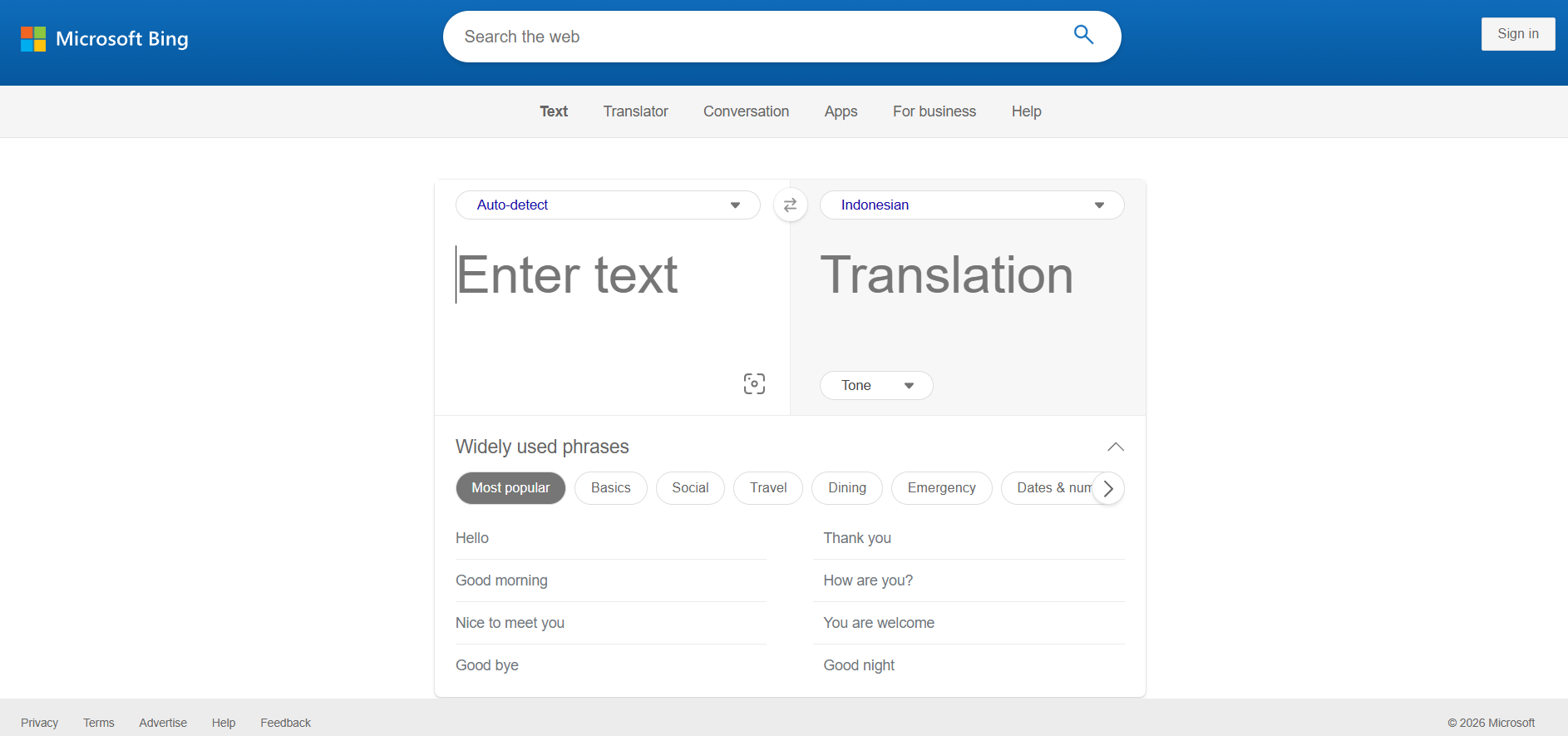
About Bing Translator
Bing Translator, part of Microsoft Translator, is a free online and app-based translation service that translates text, voice, images and real-time conversations across 100+ languages, backed by Microsoft's AI. It's a capable, free alternative to Google Translate, offering the same core convenience — instant translation for text, speech and photos — plus a standout multi-person conversation feature that lets groups speaking different languages talk together in real time.
The service translates typed text, spoken input (with voice output), and text within images (point your camera at a sign or menu), and its conversation mode lets multiple people join a translated conversation on their own devices — each speaking and reading in their own language. It integrates across Microsoft products (Office, Edge, Teams) and offers a developer API. Offline language packs support translation without internet on mobile.
Bing/Microsoft Translator is free for personal use across web and apps, with paid API tiers for developers and businesses needing translation at scale in their own products.
Strengths: completely free for personal use, 100+ languages, the multi-person live conversation feature, image and voice translation, and Microsoft ecosystem integration. Weaknesses: translation quality for nuanced professional text trails specialists like DeepL, it's less dominant (and slightly less polished) than Google Translate for some languages, and image/voice accuracy varies with conditions.
For everyday translation, travel, and especially multi-language group conversations, Bing/Microsoft Translator is a strong free option — the conversation feature is genuinely useful for meetings and travel. For the highest-quality written translation, DeepL leads; for free, feature-rich, ecosystem-integrated translation, Microsoft's offering is a reliable choice.
The service translates typed text, spoken input (with voice output), and text within images (point your camera at a sign or menu), and its conversation mode lets multiple people join a translated conversation on their own devices — each speaking and reading in their own language. It integrates across Microsoft products (Office, Edge, Teams) and offers a developer API. Offline language packs support translation without internet on mobile.
Bing/Microsoft Translator is free for personal use across web and apps, with paid API tiers for developers and businesses needing translation at scale in their own products.
Strengths: completely free for personal use, 100+ languages, the multi-person live conversation feature, image and voice translation, and Microsoft ecosystem integration. Weaknesses: translation quality for nuanced professional text trails specialists like DeepL, it's less dominant (and slightly less polished) than Google Translate for some languages, and image/voice accuracy varies with conditions.
For everyday translation, travel, and especially multi-language group conversations, Bing/Microsoft Translator is a strong free option — the conversation feature is genuinely useful for meetings and travel. For the highest-quality written translation, DeepL leads; for free, feature-rich, ecosystem-integrated translation, Microsoft's offering is a reliable choice.
Frequently Asked Questions
What is Bing Translator and how does its translation engine work?
Bing Translator (powered by Microsoft Translator) is a cloud-based machine translation service built to translate text, speech, images, and full documents across different languages. The system runs on Neural Machine Translation (NMT) architectures, which evaluate full sentences as a whole rather than translating word-by-word to capture proper context and grammatical flow. In enterprise and advanced cloud environments, the system can even blend standard neural networks with generative AI Large Language Models (LLMs) to achieve human-like tonal nuances.
How does Bing Translator integrate with the broader Microsoft ecosystem?
One of the tool's biggest advantages is its deep, native integration into Microsoft's product landscape:
Microsoft Office: Translate highlighted text blocks or entire documents seamlessly inside Word, Excel, PowerPoint, and Outlook without leaving the application.
Microsoft Edge: Automatically translates full webpages on the fly as you browse.
Microsoft Teams & Skype: Real-time captioning and translation for multilingual corporate meetings and chats.
Microsoft Office: Translate highlighted text blocks or entire documents seamlessly inside Word, Excel, PowerPoint, and Outlook without leaving the application.
Microsoft Edge: Automatically translates full webpages on the fly as you browse.
Microsoft Teams & Skype: Real-time captioning and translation for multilingual corporate meetings and chats.
What core interaction modes are available on the web and mobile apps?
Beyond simple text box copying and pasting, Bing Translator offers a multi-functional interface for real-time communication. The mobile app features a dedicated Split-Screen Voice Mode, allowing two people speaking different languages to pass a phone back and forth and converse naturally. Additionally, its Camera/OCR Translation engine lets users snap pictures of foreign street signs, physical documents, or restaurant menus to instantly view translated text overlays. The system also supports localized on-device translation via downloadable offline language packs.
How many languages are supported, and does it include local dialects?
The platform supports text translation for 179 global languages and local dialects. Its extensive library covers major global languages alongside a deep collection of regional and indigenous tongues, such as Bengali, Welsh, Maya, Acehnese, and Batak Toba. For specific high-resource language pairs, users can also toggle between formal and informal tone preferences to ensure the translation is culturally appropriate for their target audience.
Is Bing Translator free?
Yes — free for personal use across web and apps, with 100+ languages. Paid API tiers exist for developers and businesses translating at scale.
What can Bing/Microsoft Translator do?
Translate text, voice, and images, plus a real-time multi-person conversation feature where groups speaking different languages talk together, each in their own language.
Does it work offline?
Yes — the mobile apps support downloadable offline language packs for translation without an internet connection.
Bing Translator vs Google Translate — which is better?
Both are free and capable; Google Translate covers slightly more languages and is more dominant, while Microsoft's conversation feature is excellent for group translation. Quality is comparable for most uses.
How does the conversation feature work?
Multiple people join a shared conversation on their devices; each speaks and reads in their own language while the tool translates between them in real time — great for meetings and travel.
Are you the maker of Bing Translator?Add this badge to your website so visitors can see your rating.
176listing views
1visits sent to Bing Translator
Live counters, all time. We show every maker the real numbers.

Want it in front of more people? Fast-track & upgrade this listing →
Alternatives
Best Bing Translator Alternatives
Looking for something like Bing Translator? These are the highest-scored Education tools in our directory, ranked by score, never by who paid: Prevo, ELSA Speak, Orai, Speechace, Anki and more.

Prevo
Education · Interview Practice● Live
Voice AI interview practice for visa interviews, US citizenship, investor pitches and job interviews.
ELSA Speak
Education● Live
AI English speaking coach focused on pronunciation and fluency

Orai
Education● Live
AI speech coaching app for improving public speaking skills

Speechace
Education● Live
AI speech assessment platform for pronunciation and fluency evaluation

Anki
Education● Live
AI-enhanced spaced repetition flashcard system for efficient memorization.

Yoodli
Education● Live
Yoodli AI: AI Communication Coach & Sales Roleplay Software

Course Hero
Education● Live
AI-powered study platform with homework help and learning resources.

Miro for Education
Education● Live
Free AI-powered visual collaboration board for educational institutions.
📬 Get the best new AI tools by email
Only when we find tools worth your time. No spam, unsubscribe anytime.